A group address or a shared inbox for your team
A group address copies every message to every member. A shared inbox keeps one copy, where each conversation has an owner.
DMU Mail team· · 5 min read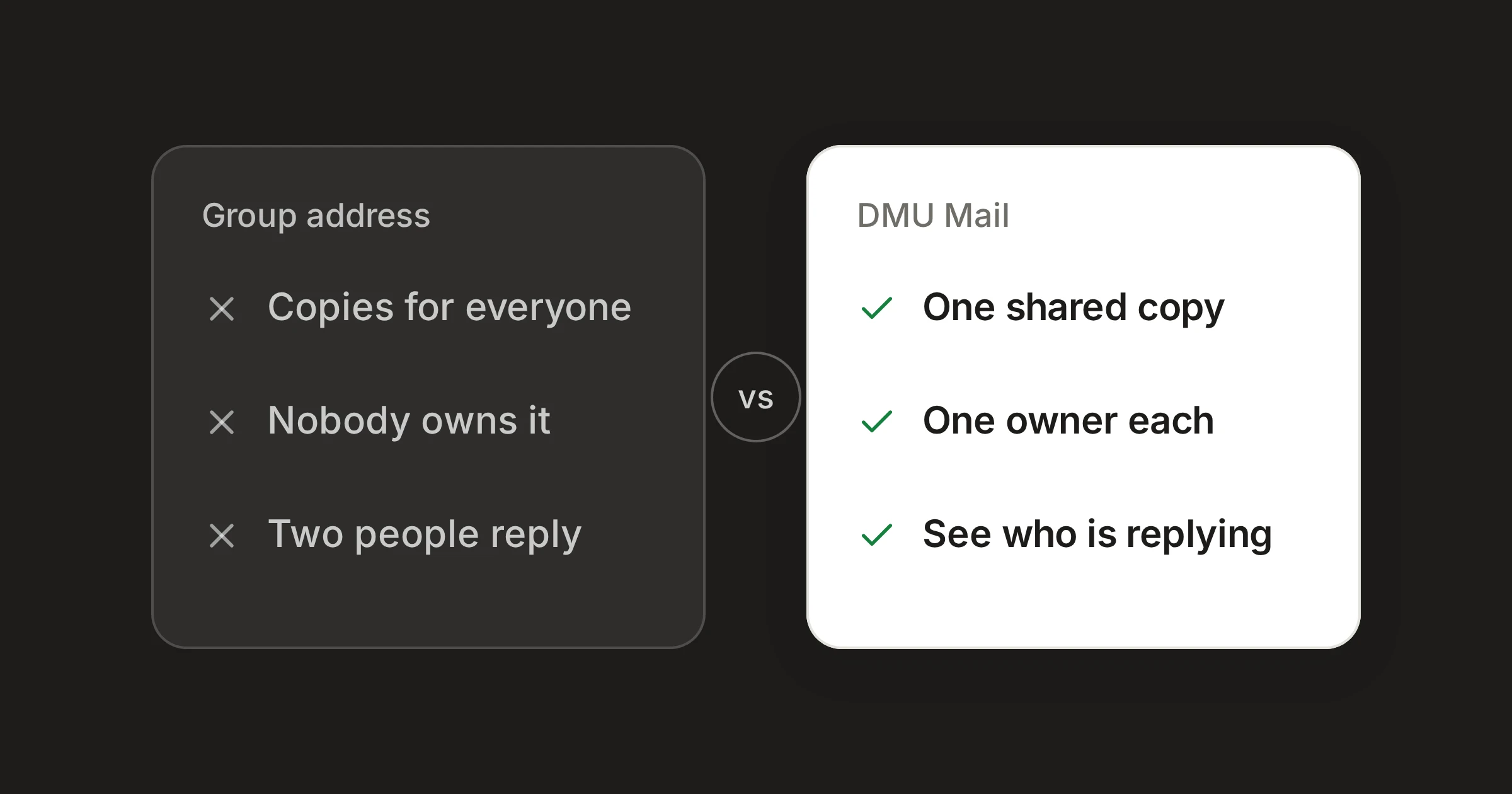
On this page
In short
A group or distribution address delivers a copy of each message to every member. It is the simplest way to make sure everyone hears.
It tells nobody who is dealing with a message, so it suits announcements and alerts better than customer conversations.
A shared inbox keeps one copy, where each conversation has an owner, a status and a history.
Many teams run info@ as a group address. Mail sent to it is copied into the inbox of everyone on the list, and it is quick to set up. Everyone hears about everything, which is just what you want for some mail and a problem for the rest.
What a group address does well
A group address does one thing: it makes sure that everybody gets the message. That is a real strength.
Announcements. A note to the whole company, or to a department, reaches everybody the same way.
Alerts that everyone must see. If a monitor sends a warning that the whole on-call group should know about, a copy to each person is what you want.
A very small team. If three people read everything anyway, a copy to each is enough.
Where it stops helping
The same behaviour causes trouble when customers write to the address and someone needs to answer.
Every member gets every message
Ten people receive each email. Each assumes one of the other nine will reply. Some answer, some do not, and nobody can tell which from their own inbox.
Nobody owns anything
A group address has no owner for a message. It has a list of recipients. There is no way to say “this one is mine” that the others can see, and so no way to see that a message has been left.
Two people reply
When two members both decide to answer, the customer gets two replies, often from two different addresses and with two different answers.
Everyone has their own copy
One member reads it and archives it, another leaves it unread, a third deletes it. The state of the message is different in every inbox, so “is this finished?” has no single answer.
Replies leave from personal addresses
A member who answers usually does so from their own mailbox. The conversation is then spread across personal accounts, and when someone leaves, their half of it goes with them.
What a shared inbox does
A shared inbox keeps one copy of each conversation. Instead of sending it to everyone, it lets everyone open the same one.
Copies of each message
- A group address
- One for every member
- DMU Mail
- One conversation for the team
Who owns a message
- A group address
- Nobody
- DMU Mail
- Assigned to one person or several
Whether it has been dealt with
- A group address
- Different in every inbox
- DMU Mail
- Open, in progress or closed, the same for everyone
Whether a colleague is replying
- A group address
- You cannot tell
- DMU Mail
- Shown in the conversation and in the list
Who sees the mail
- A group address
- Whoever is on the list
- DMU Mail
- Everyone, or the teams and people you choose
Adding or removing someone
- A group address
- Edit the list at your mail host
- DMU Mail
- Change who can see the mailbox
| A group address | DMU Mail | |
|---|---|---|
| Copies of each message | One for every member | One conversation for the team |
| Who owns a message | Nobody | Assigned to one person or several |
| Whether it has been dealt with | Different in every inbox | Open, in progress or closed, the same for everyone |
| Whether a colleague is replying | You cannot tell | Shown in the conversation and in the list |
| Who sees the mail | Whoever is on the list | Everyone, or the teams and people you choose |
| Adding or removing someone | Edit the list at your mail host | Change who can see the mailbox |
Checked on 31 Oct 2026. Sources: Shared inboxes, Assignment, Who’s on it, live, Who can see a mailbox.
Spotted something out of date? Write to support@dmu.email and we’ll correct it.
In practice:
Unclaimed mail waits. A shared inbox’s Inbox holds what nobody has taken yet. When someone assigns a conversation to themselves, it becomes In progress and moves on, and their face shows beside it in the list.
Read marks are yours. Whether you have read a conversation is yours alone. A colleague’s unread marks never change yours, so one person reading a message does not clear it for the others.
One answer. The top bar shows who is reading, and a colleague who is writing a reply shows on its row in the list. A band on the message warns you before you start a second answer.
A record. Every change, such as who assigned it and who closed it, is written into the conversation.
Chosen visibility. An administrator chooses who sees a mailbox on its Access tab in Settings › Mailboxes, and the line under the list counts the people who can see it.
Alerts are the exception
Automated alerts are a case of their own. Group alerts joins automated messages with the same subject from the same sender into one conversation, once you switch it on for a mailbox, so a flood of identical warnings becomes a single line rather than a heap. If an alert is for everyone to see, rather than for someone to handle, a group address may still be the better choice.
Where a group address still belongs
Where a group address is good enough
Choose a group address when:
the mail is for information, and nobody needs to answer it;
the group is small, and all of them are expected to read everything;
you want no new accounts and no new tool, and a copy to each person is what you need.
Choose a shared inbox when customers write to the address and expect an answer, when more than three or four people might answer, or when you want to be able to say who has what. It does mean each person who works in it needs an account.
How to move
You can keep the address. A group address usually has no sign-in of its own, and DMU Mail connects to a mailbox it can sign in to. So make the address deliver to one real mailbox rather than to each member, and connect that mailbox in Settings › Mailboxes. Add the group address under Addresses on the mailbox's General tab, so replies go out from it. If you want to keep a group address for alerts, leave that one as it is and connect only the addresses that need answers. The docs on mailboxes and on shared and private inboxes cover the steps.
Share