Create an API key
An API key lets your own software, or a tool someone built for you, read and send mail through DMU Mail without a person signing in.
Updated 24 October 2026 · 3 min read
Before you start
Only an administrator of the organisation can create keys. Everyone else sees a note that says so.
A key acts as the administrator who creates it. It can reach the mailboxes that person can, and nothing else. If that person leaves the organisation, the key stops working.
During the beta, every organisation has every feature, the API included.
Create the key
Open Settings, then API keys.
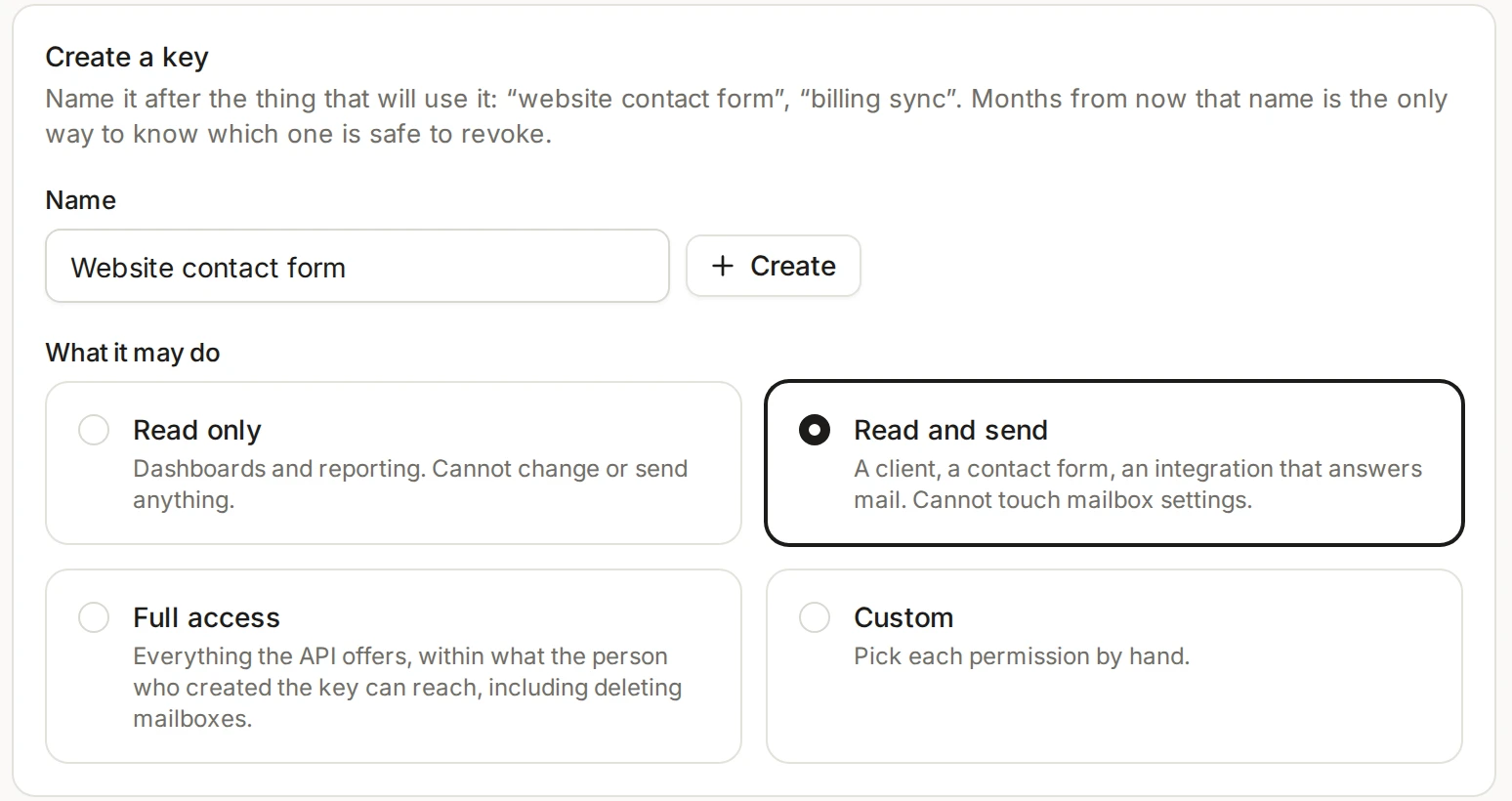
Name the key after the thing that will use it, such as “website contact form”. Months from now, that name is the only way to know which key is safe to revoke.
Under What it may do, choose a preset: Read only (dashboards and reports), Read and send (a contact form, or software that answers mail), Full access, or Custom to tick each permission yourself.
Choose Create.
Copy the key now, with the Copy button, and give it to whoever is setting up the integration. Then choose Done.
The key is shown once
You can change a key’s name or permissions later with Edit. The key itself stays the same, so the software using it needs no update.
Revoke it
On Settings, then API keys, each key shows when it was last used. Choose Revoke next to the key, then Revoke key to confirm. Anything using it stops working at once, and a revoked key can’t be switched back on. Keys are also revoked when their owner deletes their account. See Delete your account.
For the person building it
The technical side is in the developer docs: the API introduction, how to send the key and what each permission allows.