Delete your account
Deleting your account closes it straight away and removes it for good after 30 days. Your organisation’s shared mail stays where it is.
Updated 24 October 2026 · 4 min read
Before you delete
Often what people want is something smaller. Open Settings, then Account, then the Deletion tab. The “Before you go” section offers two alternatives.
Leave one organisation, and keep your account for the others. This is on Settings, then Account, then Organisations, with a Leave button on each. You lose access to that organisation’s mailboxes at once, and an administrator can invite you again. Your private mailboxes there are deleted with their mail.
Download your data first. Choose Request export, then Prepare download. You confirm it’s you with your password, a passkey or an authenticator code. It’s usually ready in a few minutes, and we email you a link. The ZIP holds your profile and settings, your private mailboxes, what you wrote in shared conversations, your saved replies, signatures and labels, and your sign-in history. The link works for 7 days.
What it deletes, and what stays
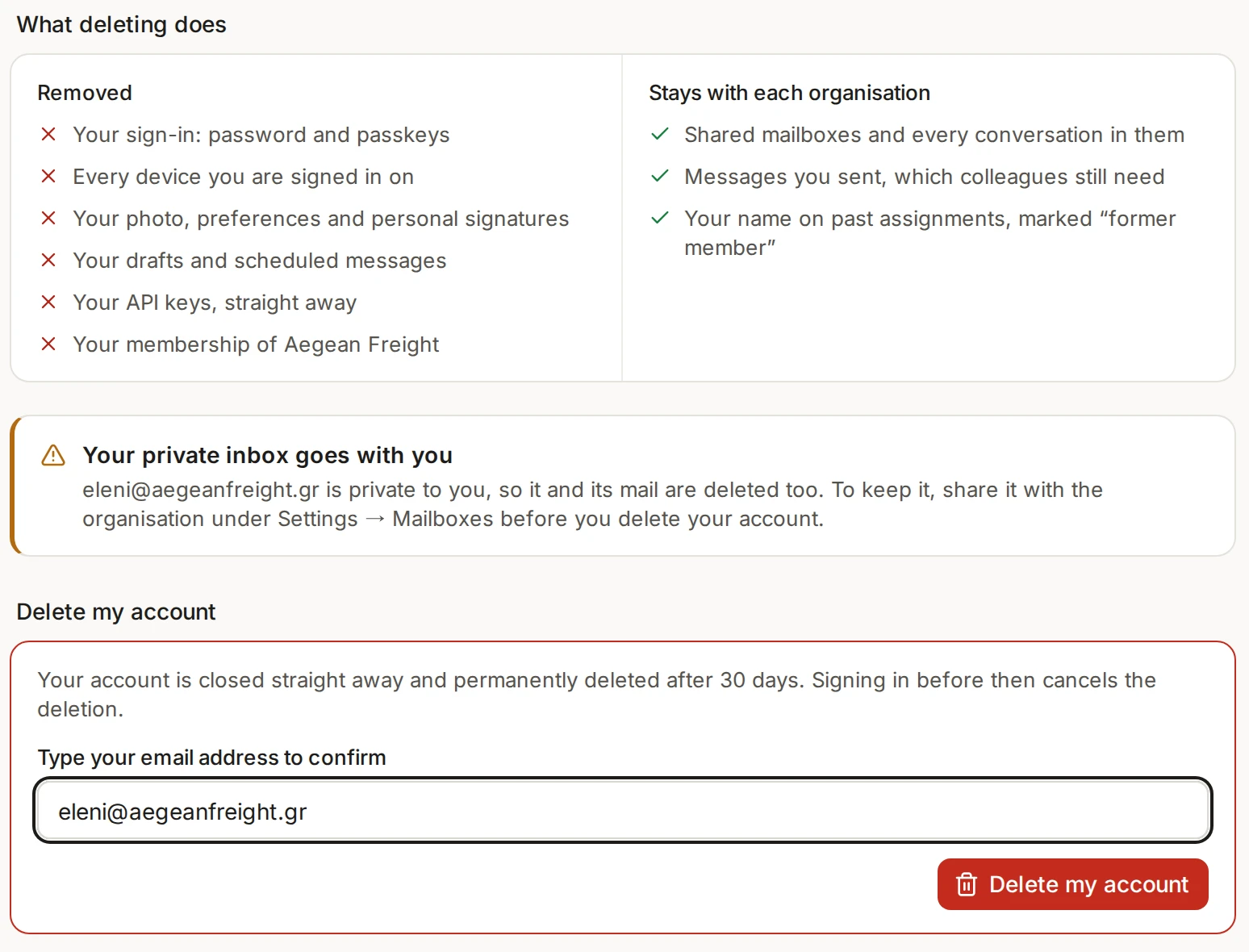
The Deletion tab lists this for your own account. In short, these go:
Your sign-in and your password, and every device you’re signed in on.
Your photo, preferences and personal signatures.
Your drafts and scheduled messages.
Your API keys, straight away.
Your private mailboxes and all their mail. To keep one, share it with the organisation first, under Settings, then Mailboxes.
Your membership of every organisation you belong to.
And these stay with each organisation, because colleagues still need them:
Shared mailboxes and every conversation in them.
Messages you sent.
Your name on past assignments, shown as “former member”.
If you are the only administrator
The steps for handing over are in People and roles.
Delete your account
Open Settings, then Account, then the Deletion tab.
Read what will be removed. Download your data first if you want a copy.
Under Delete my account, type your email address to confirm.
Choose Delete my account.
You are signed out everywhere at once, and we email you the date it will be deleted.
Changing your mind
Your account is closed straight away and permanently deleted after 30 days. Sign in before then and the deletion is cancelled. Your API keys don’t come back, so create new ones if you need them. Mail on your providers’ own servers, such as Gmail or your hosting, is never touched by any of this.