Team chat and mentions
Talk about a conversation with your colleagues right under the email. The customer never sees it.
Updated 24 October 2026 · 2 min read
Write to the team
Every conversation has team chat. Under the email, next to the Reply tab, choose Team chat. Type your message and press Enter to send it. Shift and Enter start a new line.
Only people at your organisation see team chat. It is never sent to the customer, and it is not part of the email.
A note can be up to 4,000 characters and can carry up to 10 files. Use the paperclip, the emoji button or the GIF button where they are offered.
Colleagues can react to a note with an emoji.
When the chat is long, it folds to one line showing how many messages are new. Choose Show team chat to open it.
A message sent to team chat moves the conversation to the top of the list, so the team notices it.
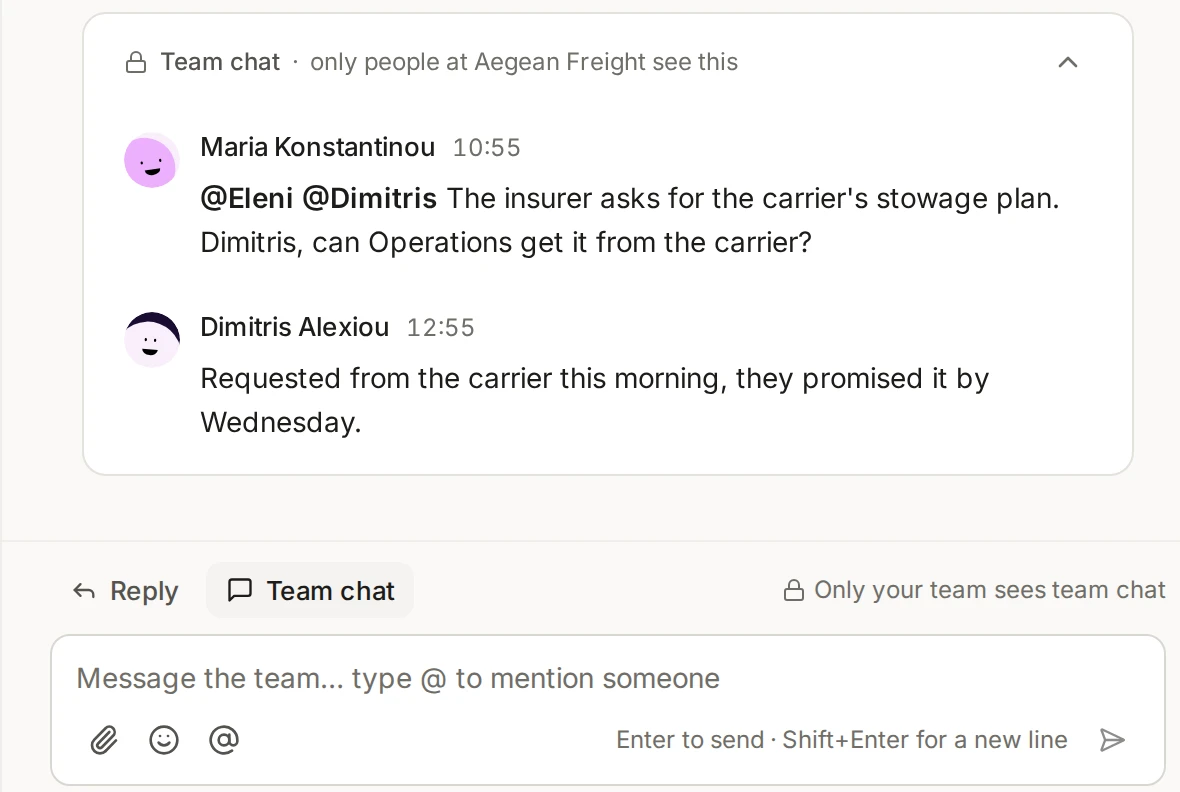
Mention a colleague
Type @ in the chat box and a list of people and teams opens. Use the arrow keys and Enter to choose one, or click. Esc closes the list. You can mention a whole team: everyone on it is mentioned.
A person you mention:
Gets a notification, “Mentioned in team chat”, in the bell. A banner follows in their browser or the desktop app. Mentions cannot be switched off. See Notifications.
Can open the conversation even if they cannot see its mailbox. The list marks people who cannot see the mailbox, and says that mentioning gives access to this conversation only, not the mailbox.
Appears under Who can see this on the conversation, as “Mentioned by” you. You, the person who gave access, or an administrator can remove it with Remove. Removing it asks first and offers Undo.
The history of the conversation records the access, for example “Maria gave Nikos access by mentioning them”. See Assign a conversation and Shared and private inboxes for how access works.
What you cannot do yet
Notes cannot be edited or deleted